Roll A Gnome Guides Hub
Deep tutorials for every stage of the gnome garden loop — from first roll to offline empire.
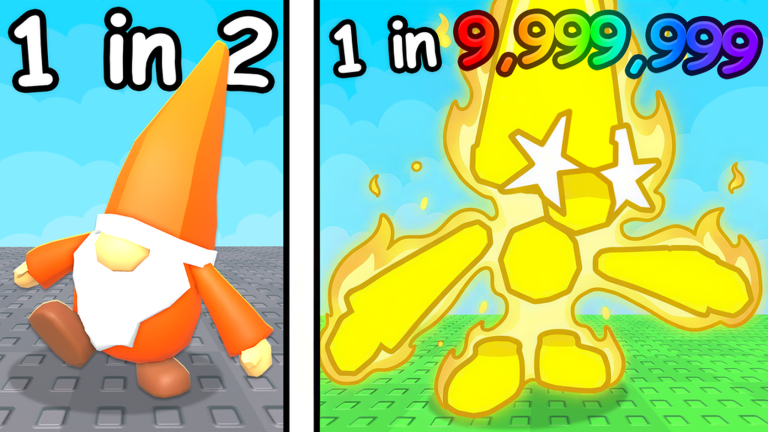
Welcome to the Guides Hub for Roll A Gnome, the Roblox incremental where gnomes plant crops while you chase rarer rolls. These tutorials are written for real player pain points: confusing first minutes, weak luck, stalled cash, and uncertainty about what to upgrade next.
Start here
| Goal | Guide |
|---|---|
| First session | Getting Started |
| How to play | How to Play |
| How to roll | How to Roll Gnomes |
| Harvest cash | Harvest and Sell |
| Movement & menus | Controls |
| Maximize RNG | How to Get More Luck |
| AFK income | Offline Progress |
| Bigger plots | Expand Your Garden |
| Cash loop | Make Money Fast |
| Full bags | Inventory Management |
| Avoid traps | Common Mistakes |
How the game loop works
- Roll for gnomes using cash (and luck multipliers).
- Place gnomes so they plant crops on your plot.
- Harvest and sell produce to refill your wallet.
- Expand the garden so more gnomes can work at once.
- Go offline — the description promises the garden keeps growing while you are away.
- Reinvest in better rolls and repeat.
Every guide on this hub plugs into that loop. For free multipliers, visit Free Luck Rewards. For rarity rankings, open the Tier List Hub. For automation features, see Scripts.
Who these guides help
- Brand-new players who need a clean first-hour plan
- Returning players after a patch who want a refresher via Patch Notes
- Optimizers building toward mid-game plans in Mid Game Progression
- Parents / new Roblox users who want Controls without jargon
Reading order for a strong first week
Day 1: Getting Started → Free Luck Rewards → Controls. Day 2: Make Money Fast → Gnome Rarity Tiers. Day 3: Expand Your Garden → Offline Progress. Day 4+: Early Game Build and the Progression Planner.
Quality standards on this wiki
We avoid copy-paste filler. Each guide includes practical steps, internal links with clear anchor text, and FAQs that match the topic. When the live game changes drop rates or UI labels, we update the relevant guide and leave a trail in Updates.
If you only bookmark one page, bookmark this hub — then drill into the child guide that matches your current bottleneck. Stuck on luck? Open the luck guide. Stuck on cash? Open money. Stuck on space? Open expand. That bottleneck-first habit beats reading every page in order when you are mid-grind.
Frequently Asked Questions
Quick answers to the most common questions.
Which Roll A Gnome guide should I read first?
Start with Getting Started, claim Free Luck Rewards, then use Make Money Fast once you understand the basic roll-plant-sell loop.
Do these guides work on mobile?
Yes. Mechanics are the same; Controls covers platform differences for movement and menus.
Is this an official wiki?
No. This is an unofficial fan resource for Roll A Gnome on Roblox. Confirm major changes on the official experience and group pages.